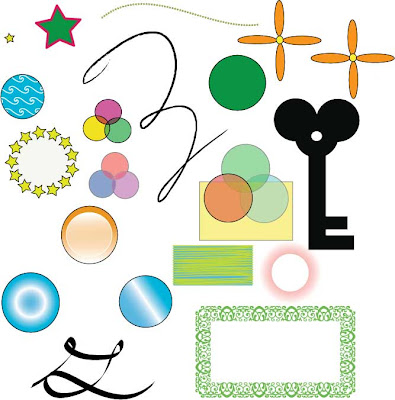
This is the third tutorial I have completed using Adobe Illustrator and my second tutorial completed off of vectordiary.com. I happen to like vector diary a lot because it provides me with in depth tutorials on the use of the many different tools and functions of Adobe Illustrator. This week I completed a tutorial that went more into depth on the use of different shape and pattern tools and the effect tools thats can be used on them.
Tools and Skills Learned
- Brush Stroke- The brush stroke pallet was used to put effects on images such as the script letters and the cirlce of stars.
- Opacity, Stroke, Gradient, and Transparency- I went more into depth with these tools by using effects such as the radial gradient on the circle, the stroke cap on the star and the transparency effects on the 3 grouped circles.
- Border Pattern, Pattern Brush and Pattern Fill- I used these tools to create the star outlined circle, the blue pattern filled circle and the green border outline on the rectangle.
Self Reflection
I had a lot of fun working on this tutorial. Like i said, I enjoy working on the Vector Diary tutorials. I am becoming more independant with my work and a lot more more farmiliar with the use of Adobe Illustrator. As I first started working with Illustrator, I did not like it at all. It is starting to grow on me as we continue to complete more projects and tutorials. Overall, this tutorial was enjoyable because it went into depth with the more challenging and complex aspects of Illustrator. I am looking forward to future projects in Adobe Illustrator.
Project/Participation
I felt that i worked hard on this tutorial and the outcome was great!- 10/10


